


Less searching, more scootering: Need a spark plug, looking for a gasket or simply in the mood for some new Vespa accessories? With one little smartphone trick, you can put SIP Scootershop right on your home screen — almost like a regular app. No App Store search required.
SIP Scootershop — just one tap away
When you’re working on your scooter in the garage, the last thing you want is to open a browser and type in a website address. Whether you’re looking for spare parts, tuning components, helmets or clothing, a home-screen shortcut gives you direct access to the shop via the SIP icon. On iPhone, you can even choose to open it as a web app.
How to add SIP Scootershop to your iPhone
Our screenshots show the process using Chrome on an iPhone. It works similarly in Safari, where you’ll also find a Share button. The phone in the screenshots uses German interface labels; we’ve included their English meanings below.
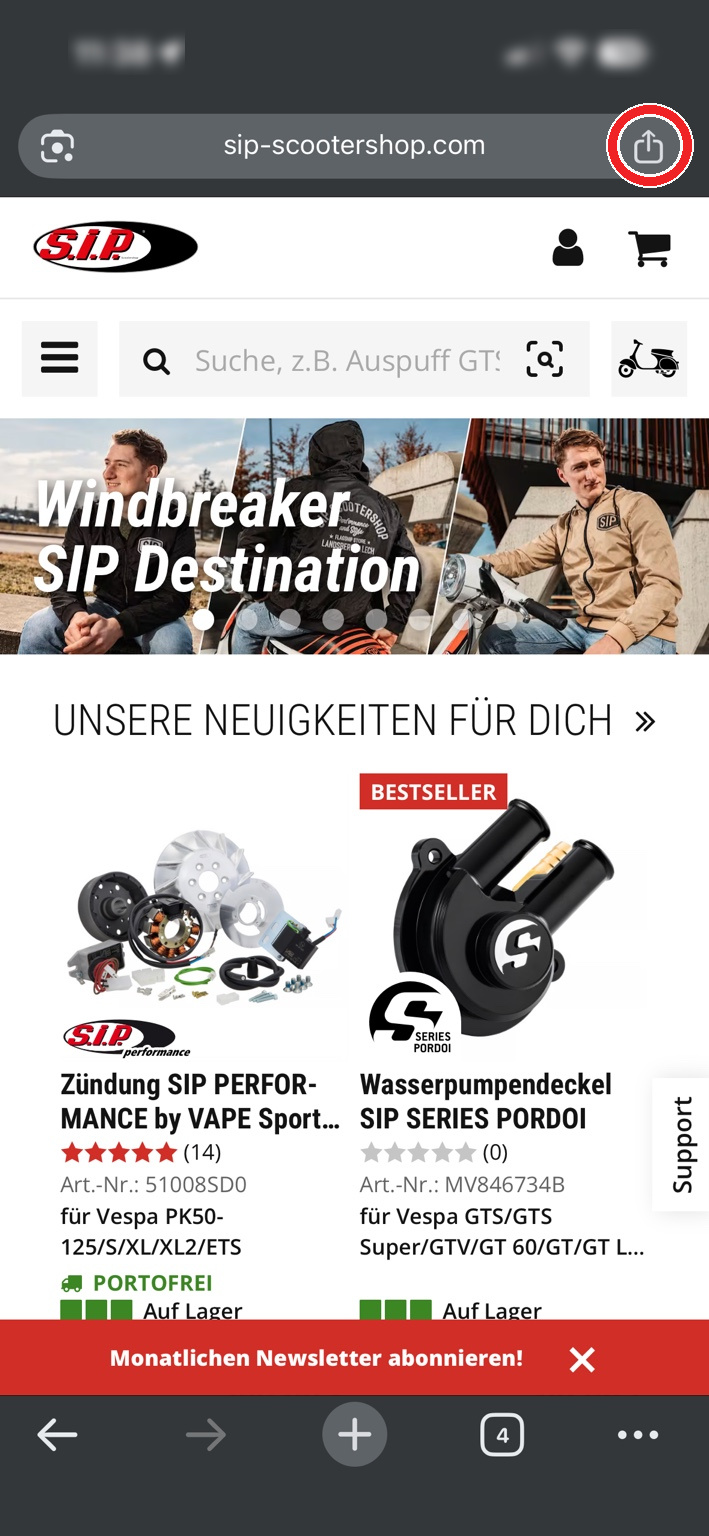
1. Open SIP Scootershop and tap Share
Visit www.sip-scootershop.com on your iPhone, then tap the Share icon, circled in red in the screenshot.
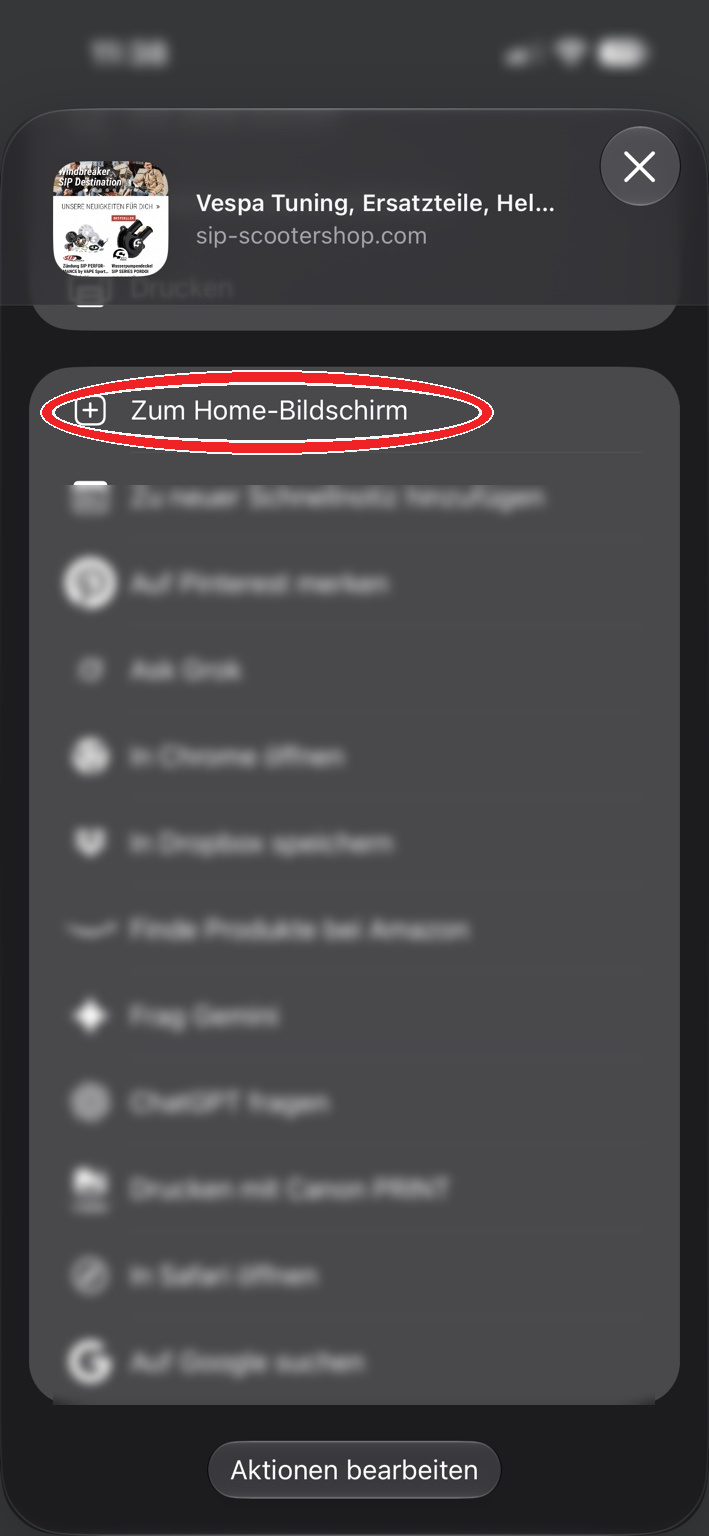
2. Choose “Add to Home Screen”
In the Share menu, select “Add to Home Screen” (shown as “Zum Home-Bildschirm” in our German screenshot).
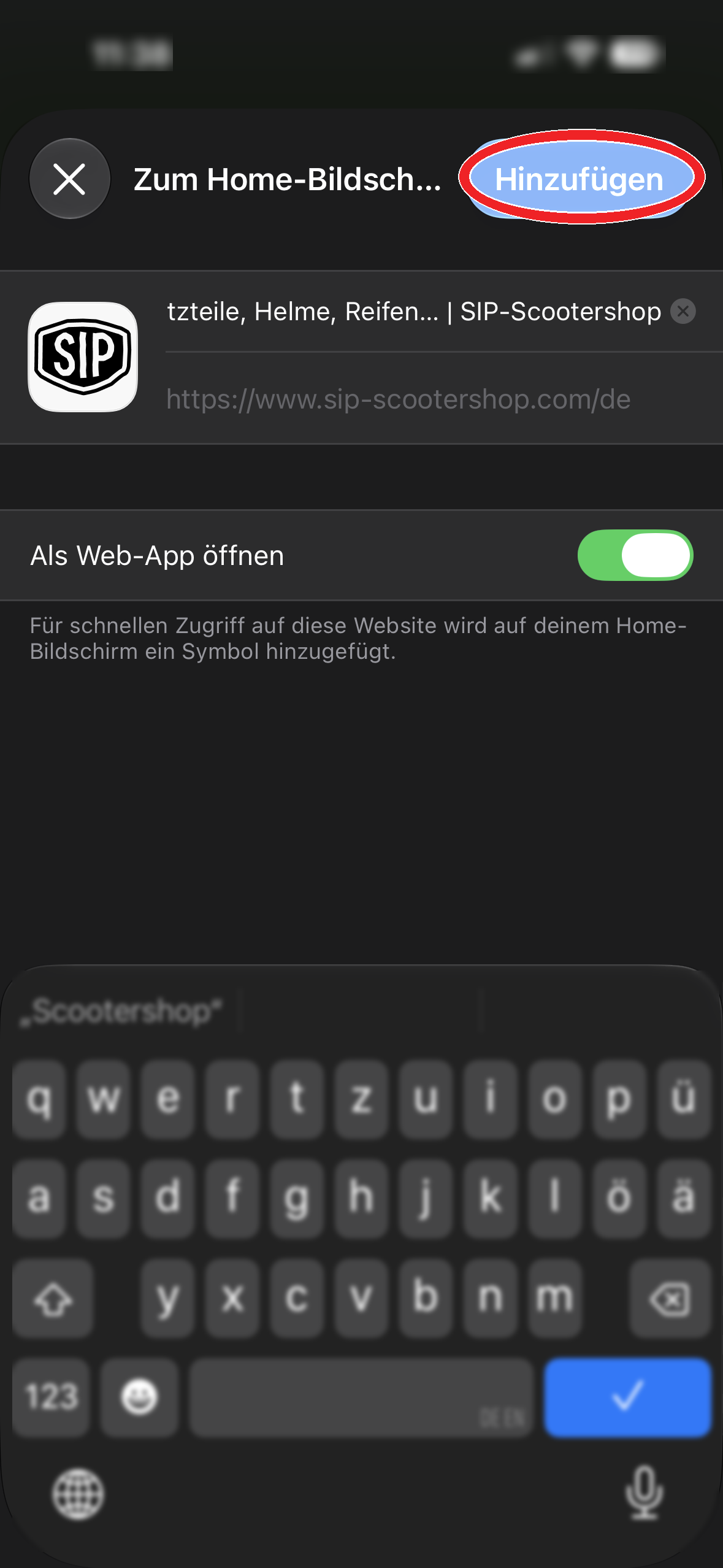
3. Give it a name and tap Add
We recommend the short name “SIP Scootershop”, so it looks neat on your home screen. If you see “Open as Web App” (German: “Als Web-App öffnen”), keep it enabled, then tap “Add” (“Hinzufügen”) in the top-right corner.
All done! The SIP icon now appears on your home screen. From now on, the shop is only one tap away.
Using Android? Just as easy!
On a Samsung, Google Pixel or another Android phone, Google Chrome makes the process simple:
- Open Google Chrome and visit sip-scootershop.com.
- Tap the three-dot menu (⋮) at the top right.
- Choose “Install app” or “Add to Home screen”.
- Confirm with “Install” or “Add”.
The exact wording may vary depending on your phone and Chrome version. Some devices open the shop as a standalone web app, while others create a home-screen shortcut.
A small trick that makes a big difference
Picture this: Your Vespa is half dismantled in the garage and you suddenly need another gasket. Or you’re taking a coffee break and an idea for your next project pops into your head. Just tap the SIP icon, find the part and get back to what you love — without typing an address.
And here’s another bonus: Since you’re using the current website, you don’t need to update a traditional app just to see the latest products and shop content. You will still need an internet connection to use the shop.
The bottom line: SIP, always with you
Whether you’re wrenching in the garage, out and about or relaxing on the sofa, SIP Scootershop on your home screen puts your next Vespa project just a tap away. Add it once. Keep it close.
